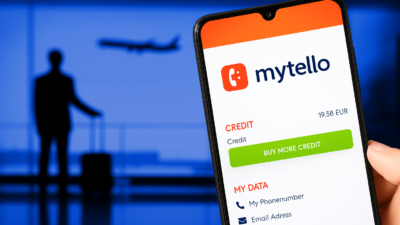
To reach credit card support abroad, use Mytello to call Visa, Mastercard, Amex, or Chase without roaming or SIM changes. Mytello connects via local access numbers or VoIP, bypassing blocked U.S. toll-free lines and ensuring keypad inputs work with automated menus, even offline.
Fastest Way to Reach Credit Card Support While Traveling
Unexpected card issues abroad can cause serious stress, especially when U.S. support numbers don’t connect from international locations. Whether you’re locked out of your account, flagged for fraud, or trying to replace a stolen card, knowing how to reach Visa, Mastercard, or Amex support instantly can save hours and money. With the Mytello app, travelers can bypass blocked toll-free numbers, skip roaming, and call their credit card companies using either VoIP or dial-in fallback modes, no matter where they are in the world.
Before traveling, make sure you understand how global card support works, why traditional calling fails, and how a SIM-free app like Mytello offers a secure, flexible backup for calling banks and service providers from abroad.
Why Credit Card Support Often Fails Abroad
Calling U.S.-based credit card companies while overseas often leads to unexpected failures, especially when relying on traditional methods like toll-free dialing or roaming. Many travelers experience blocked calls, audio dropouts, or keypad malfunctions right when they need support the most.
U.S. Toll-Free Numbers Are Blocked Internationally
Most 1-800 or 1-888 numbers issued by American banks and card issuers don’t connect from international carriers. These toll-free lines are designed for domestic use only, meaning travelers often hear “number not in service” messages when dialing from abroad. That’s why tools like Mytello’s dial-in fallback are critical, they route calls via local access numbers to ensure global reach, even without Wi-Fi.
Roaming and Weak Signals Disrupt Support Calls
If you’re using a roaming SIM or international data pass, weak networks in airports or hotels often drop calls mid-conversation, especially during identity verification. Worse, switching to Wi-Fi calling is rarely a fix. That’s why travelers should use apps like Mytello that let them toggle between VoIP and local dial-in mode based on connection strength, similar to setups recommended in dual-SIM travel guides.
VoIP Apps Often Block DTMF Signals
DTMF (Dual Tone Multi-Frequency) is the tone-based system that sends your keypad input to automated menus, like “Press 1 for billing.” Many popular apps don’t support accurate DTMF transmission, leaving users stuck in endless loops. Mytello’s in-app keypad supports full DTMF over VoIP and fallback modes, helping customers resolve issues without frustration.
Best SIM-Free Ways to Contact Support
Credit card emergencies abroad demand instant, secure access, without relying on roaming, SIM swaps, or unstable Wi-Fi. The fastest way to reach your issuer is to use a hybrid app that works via both VoIP and dial-in, like Mytello. It ensures SIM-free functionality and uninterrupted global access.
Use the Mytello App with VoIP as Default
When connected to Wi-Fi or mobile data, Mytello places international calls using VoIP, saving up to 90% compared to roaming. The app auto-detects your contact list, displays real-time call credit, and supports DTMF tones, making it ideal for navigating banking support menus. Unlike apps that block landline calls abroad, Mytello is purpose-built for calling official service numbers, including Visa, Mastercard, Amex, and Chase.
Switch to Dial-In Mode When Signal Is Weak
If your internet fails, at a border, rural zone, or underground station, Mytello’s app allows you to instantly switch to dial-in mode using your existing SIM. This guarantees connectivity even without data. Similar to VoIP workarounds in low-data international calling apps, this feature ensures calls go through under any conditions.
Call U.S. Support Without Internet or Local SIM
Even if your SIM is locked, expired, or missing, you can still use Mytello on a borrowed Wi-Fi connection or with a dual-SIM travel device. Many users in VoIP-blocked countries depend on this method to avoid complete disconnection during support crises.
How to Call Visa, Mastercard, Amex, and Chase
Support numbers vary by issuer and region. Not all global access lines work from every country or app. Here’s how to use Mytello to reach major credit card support efficiently from anywhere in the world.
| 🏦 Issuer | 🌍 Global Support Number | 📞 Mytello Mode |
| Visa | Contact issuing bank | Dial-in or VoIP |
| Mastercard | +1-636-722-7111 | VoIP with DTMF |
| Amex | +1-336-393-1111 | VoIP or fallback |
| Chase | +1-302-594-8200 | Dial-in preferred |
Save Numbers in International Format (+1)
Before traveling, add your bank’s number with full international formatting in your phonebook (e.g., +1 302 594 8200). Mytello’s contact filter automatically detects international prefixes and displays call rate info before dialing.
Use In-App Keypad for Secure Menu Navigation
Mytello’s keypad supports DTMF tones required by banking IVRs. Unlike apps where pressing “2” fails to register, Mytello ensures your input reaches the system. This solves problems seen in VoIP vs traditional call reliability comparisons.
Combine Mytello with Local Access Numbers
If you prefer dialing directly (e.g., from a hotel landline), Mytello provides local access numbers in 220+ countries. This ensures support access even in areas where mobile apps are blocked or unreliable, essential for emergencies abroad.
Problems Real Travelers Face, and Smart Fixes
Even with planning, travelers often encounter critical issues when trying to contact their card issuer. Mytello provides immediate solutions for real-time travel challenges based on common complaints across forums and support threads.
“App Can’t Connect on Public Wi-Fi” → Use Mytello Dial-In
Public Wi-Fi often blocks outbound VoIP ports or drops encrypted calls. In such cases, Mytello allows users to switch to dial-in mode instantly. Unlike Wi-Fi-only apps that fail without the internet, Mytello works like a hybrid tool, as shown in our VoIP vs Wi-Fi calling breakdown.
“Call Drops After 10 Minutes” → Switch Call Mode
Bank queues and verification checks take time. Users relying on unstable roaming or VoIP often lose connection midway. Mytello users can switch modes in-app and resume calls through a stable channel, similar to solutions in our guide to avoiding international calling mistakes.
“DTMF Doesn’t Work in Google Voice” → Use Mytello’s Keypad
Many travelers report keypad inputs (e.g., “Press 3 for lost card”) not working in Google Voice or WhatsApp. Mytello’s in-app dialer was built for bank menu navigation, ensuring the tones reach the system, vital for support numbers like Chase or Amex.
“Can’t Call Toll-Free From EU” → Use Mytello Local Access
Most U.S. toll-free numbers are not accessible from Europe, Africa, or Asia via direct dialing. Mytello reroutes your call through local access lines, eliminating these blockages. Learn how this works in calls to banks without roaming.
Backup Payment & Support Tips While Traveling
Losing access to a credit card abroad can be more than an inconvenience, it can be a full-blown crisis. Prepare backup systems for support access and financial continuity with these trusted traveler tactics.
Store Card Images and Numbers Securely
Use a password manager app with offline access to store scanned images of your credit cards, account numbers, and global support lines. In places with limited connectivity, this provides immediate reference for reactivation or verification.
Use Virtual Cards for High-Risk Transactions
Many travelers add virtual card numbers for online bookings or in-store purchases in unfamiliar areas. These can be paused instantly via the banking app or frozen through services like Mytello if an issue arises. Learn how to manage your calling modes for banking via low-data international apps.
Keep Payment Backups in Separate Bags
Don’t keep all cards in one wallet. Split physical cards across your carry-on and luggage. Load different cards into Google Pay and Apple Wallet. You can access support using Mytello, even if your physical wallet is lost, by calling landline support abroad.
Enable Two-Factor Authentication (2FA) Before Travel
Ensure all your card accounts have 2FA enabled before you depart. If you lose your phone or get locked out, you can use Mytello to call your bank’s recovery line without needing internet or roaming.
Carry Emergency Cash
Keep small amounts of local currency and a backup debit card in a secure, RFID-blocking pouch. Should your main card be compromised, you’ll have funds for essentials until you reach support.
Final Checklist Before Departure
Before boarding your next international trip, ensure you’ve secured credit card access and customer support with Mytello. This checklist eliminates risk, boosts preparedness, and keeps your money protected on the move.
Install the Mytello App
Download Mytello for Android or iOS to access low-cost VoIP and dial-in calling modes in one platform. It auto-detects support numbers and enables one-tap access.
Add Global Support Numbers in +1 Format
Include Chase, Mastercard, Visa, and Amex numbers in international format. Store them in a secure password manager or physical backup, especially for countries with VoIP restrictions as seen in VoIP-blocked regions.
Test Call Quality in Both Modes
Before departure, make a test call using both VoIP and dial-in. Mytello includes a free trial credit, so you can verify keypad tone (DTMF) functionality and support number reliability. For full app instructions, see our virtual office setup guide.
Load Credit and Enable Push Alerts
Top up credit via Mytello’s secure dashboard. Enable notifications so you receive alerts for low credit, call failures, or local number updates while traveling.
Secure Cards and Use Multi-Layer Storage
Keep emergency cards, SIMs, and local currency in separate bags. Use RFID-blocking sleeves and label cards by region to avoid confusion during high-stress calls.
FAQs – Credit Card Support While Abroad
Can I call U.S. banks without the internet while abroad?
Yes. Using Mytello’s dial-in mode, you can reach your bank even if you don’t have mobile data or Wi-Fi. This method is ideal for emergency access when apps like Skype or WhatsApp don’t work. Learn more in our guide on calling without changing SIM cards.
Is Mytello secure for calling customer support?
Yes. Mytello uses encrypted connections for VoIP and does not store credit card information. The app supports DTMF tones and official helpline formats, making it ideal for sensitive calls like contacting PayPal support abroad.
How do I switch from VoIP to dial-in within the Mytello app?
Inside the app settings, select Call Settings → Call Mode → Dial-In. Mytello then connects your call via a local access number, which is more stable in low-signal zones. This mirrors behavior used in VoIP vs dial-in comparisons.
What if my SIM is blocked or phone is stolen?
Install Mytello on a second device or borrow Wi-Fi to log into your account. From there, you can still contact support. You don’t need a SIM to use Mytello, making it a safer choice than roaming-only tools.