Why Most Free VoIP Apps Don’t Solve the Full Problem
Many apps offer free calling, but most only work if both people use the same app and have an internet connection. That’s fine for calling friends who are already on WhatsApp or Telegram. But when you need to dial a regular phone number, especially overseas, things get complicated quickly.
You might need to speak to a family member who still uses a landline. Or a business that doesn’t support internet calling. In those cases, most free VoIP apps won’t help. They’re built around chat, not voice-first communication.
If your goal is to make actual calls, to landlines, to people without the same app, or in places where internet isn’t stable, then the app you use needs to go beyond the basics.
What to Look For in a VoIP App (Especially for Android)
1. Can it call phone numbers directly?
This is the core difference. Most apps are free because they don’t use the phone network, they route calls over the internet between users on the same platform. But if the app can’t dial an actual number — mobile or landline — it won’t help when the person you’re calling isn’t using the same tool.
2. Does it rely entirely on Wi-Fi or data?
Plenty of VoIP apps break the moment your internet connection drops. A better option is one that gives you flexibility, like routing the call through a local number if needed. This is especially useful when traveling or in low-signal areas.
3. Is it lightweight and stable on Android?
Not every Android phone is new or powerful. Some calling apps use a lot of background data, drain the battery, or lag on budget devices. A good VoIP app should run well without needing the latest phone model or a strong connection at all times.
4. Are the costs transparent?
“Free” often comes with limits. Many apps switch to paid modes once you try to call outside the network. That’s fine, as long as the pricing is clear. Credit that doesn’t expire, no forced subscriptions, and no setup fees make it easier to control your costs without surprises.
Types of VoIP Apps for Android: What Each One Is Good At
There’s no shortage of apps in the Play Store, but they fall into a few clear categories once you filter based on what they can actually do.
1. App-to-App Calling Only (Free, but Not for Everyone)
These are the most common apps used for free calling. They work as long as the person you’re calling has the same app installed and a decent connection.
-
WhatsApp – Great call quality and easy to use. Doesn’t support landlines or outside numbers.
-
Signal – Focuses on privacy and encryption. Works only between Signal users.
-
Telegram – Lightweight and quick, but calling features still limited.
-
Messenger, Duo, WeChat – Suitable for voice/video with known contacts, but not built for wider phone communication.
These apps work well for personal chats. But if you’re trying to reach someone who doesn’t use the app, or who’s offline, the call won’t go through. They’re not replacements for a phone service — just a different way to stay in touch with people already in your network.
2. VoIP Apps That Can Call Real Numbers (Freemium or Pay-As-You-Go)
These apps go a step further. They let you call phone numbers — not just usernames — which makes them far more useful. But they usually require buying credits or paying per minute.
-
Viber (Out) – You can call mobiles and landlines, but quality varies by location.
-
Skype – Calls to regular numbers used to be simple with credits, but Microsoft has shifted more toward subscriptions.
-
Google Voice – Strong for U.S. users. Less practical internationally due to account limitations.
-
Talkatone – Free U.S. and Canada calling, but limited beyond that.
These apps are often the next step people take when chat-based tools fall short. They’re useful if you’re okay topping up credit and have stable internet — but they may not be dependable in all countries or call scenarios.
3. SIP Clients and Softphones (Technical, Powerful, But Not Simple)
For users who already have a VoIP provider or want to build a more advanced setup, these apps allow deeper control. But they aren’t beginner-friendly.
-
Zoiper – One of the most popular SIP apps. Works well, but requires manual configuration.
-
CSipSimple – No longer maintained, but still used by some advanced users.
-
Linphone, Grandstream Wave – Capable options for people running PBX or hosted VoIP accounts.
These tools offer flexibility but need SIP accounts and some technical knowledge. They’re best suited for professional setups or users who already understand VoIP systems. For most Android users, they add more complexity than value.
4. A Simpler Option: Mytello
Mytello is built for people who want to call any number, landline or mobile, without needing the other person to install an app or be online.
You can make calls through:
-
Wi-Fi or mobile data
-
Or even without internet, using a local access number (especially useful while abroad)
You don’t need to configure SIP accounts or worry about subscriptions. You add credit when needed, and it never expires. It works on almost any Android phone, regardless of speed or version.
Mytello removes the usual obstacles:
-
The receiver doesn’t need internet
-
You don’t have to explain what app to install
-
It connects just like a normal phone call — but at low international rates
🔗 Install Mytello for Android
🔗 Browse international call rates
It doesn’t try to replace messaging apps or build social features, it focuses entirely on making clear, direct phone calls worldwide.
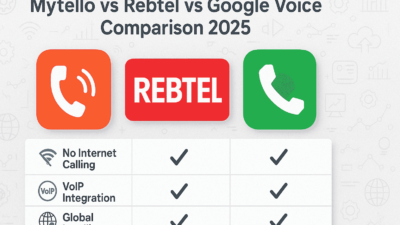
Comparing Top VoIP Apps Side by Side
Now that we’ve unpacked how these apps work, it helps to see how they line up based on what you can actually do with them — not just what’s written on a download page.
| Feature | Mytello | Google Voice | Viber (Out) | Zoiper | |
|---|---|---|---|---|---|
| Call to landlines/mobiles | ✅ Yes | ❌ No | ✅ (U.S. only) | ✅ Yes | ✅ (with setup) |
| Requires receiver to use app | ❌ No | ✅ Yes | ❌ No | ❌ No | ❌ No |
| Works without internet | ✅ Yes (local access number) | ❌ No | ❌ No | ❌ No | ❌ No |
| Requires account setup | ✅ Simple | ✅ Simple | ⚠️ U.S. only | ✅ Simple | ⚠️ Complex |
| Credit/pay-as-you-go | ✅ Yes | N/A | ⚠️ Region-limited | ✅ Yes | ❌ External provider needed |
| App size / battery impact | ✅ Lightweight | ✅ Moderate | ⚠️ Can drain | ⚠️ Moderate | ❌ Heavy on older devices |
This isn’t just about who has the most features, it’s about what’s reliable for the kind of calls real users need to make, especially when calling beyond the app ecosystem.
Choosing the Right App for Your Situation
Different users have different needs. Here’s how to match the right VoIP app with the right use case:
📞 Calling family in another country (even if they use a landline)
Use: Mytello
No need to explain how to install anything or worry about internet availability on their end. You just dial their number, and they pick up.
📱 Staying in touch with friends who are always online
Use: WhatsApp or Signal
App-to-app calling works well here, and it’s free. These are great when you’re both online and have decent internet access.
🌍 Calling businesses, banks, or support lines internationally
Use: Mytello or Viber Out
These calls often go to landlines, and they need to work the first time. Flexibility matters more than in-app features.
🧳 Traveling and unsure about internet reliability
Use: Mytello
If you’re roaming or on prepaid data, being able to call over local numbers without an internet connection can be a major advantage.
💼 Running a custom VoIP setup or using a SIP account
Use: Zoiper
Good for IT professionals or small teams with existing VoIP infrastructure. It requires technical configuration but offers full control.
Android-Specific VoIP Considerations
Android is flexible, but it also brings certain challenges that iOS users don’t run into as often — especially with voice-over-internet apps.
⚙️ Device Performance
Lower-end or older Android phones might struggle with some VoIP apps that keep connections alive in the background. This can cause dropped calls, battery drain, or lag. Apps like Mytello are designed to run cleanly without those issues.
🔒 App Permissions
VoIP apps need access to your microphone, phone state, and sometimes your contacts. If those permissions are denied or revoked, some apps simply won’t work. A simpler app with fewer dependencies tends to perform better.
🌐 Data Management
Some VoIP apps use background data heavily to maintain push call notifications. That’s not ideal for users with limited data plans. Mytello avoids this by using carrier fallback routing for offline calling, which doesn’t consume data.
🔄 Updates and Compatibility
Not all apps are regularly updated for newer Android versions. It’s important to choose apps that are maintained, especially for security patches and feature support. Mytello continues to support a wide range of Android OS versions and devices.
When “Free” Isn’t Enough — But Still Affordable
Free apps are great when they work. But the moment you need to go beyond app-based calling, especially to reach a landline, office, or someone with no smartphone, “free” turns into friction.
Reliable VoIP calling doesn’t have to be expensive. It just has to work when you need it. Whether that’s calling internationally, using low data, or simply avoiding the need to explain what app the other person has to download, sometimes paying a few cents per minute is better than getting stuck with no connection at all.
Check it out yourself:
Questions Users Often Ask — And Straight Answers
Can I make truly free international calls?
Only if both parties are on the same VoIP app (like WhatsApp or Signal). If you want to call outside of that — to a regular number — there will be a cost. The goal is to find low, predictable rates with no surprises.
What happens if the other person doesn’t have internet?
App-based VoIP calls won’t go through. Mytello solves this by routing the call via local numbers to reach the recipient — even without a data connection.
Is there a VoIP app that works like a normal dialer?
Some apps integrate with your contacts and let you tap-to-call just like your native phone app. Mytello does this on Android — once you install and sign up, it shows your international contacts automatically.
Do I need a VoIP provider to use these apps?
Only if you’re using SIP clients like Zoiper or Linphone. Mytello, Viber, and others are self-contained — they handle the provider side for you.
Can I receive calls too?
Apps like WhatsApp and Viber support incoming calls within the app. Mytello is outbound only — designed for affordable international dialing, not inbound call management.