International calling without mobile data is now more accessible than ever, especially for Android users who seek cost-efficient communication without relying on internet access. Whether for travel, remote work, or reaching loved ones globally, making international calls without using data is a necessity for many. In this guide, we explain every working method for Android users and show how services like Mytello deliver seamless, reliable, and data-free international connectivity.
Can You Make International Calls on Android Without Internet?
Yes, Android users can make international calls without using internet or mobile data by leveraging offline calling methods such as dial-in access numbers or prepaid calling cards.
Most users mistakenly associate international calling with internet-based apps like WhatsApp or Skype. However, several offline methods operate independently of mobile data, allowing calls through the cellular voice network. These approaches are especially valuable in areas with limited connectivity or for users who prefer simplicity and stability over app-based communication.
Unlike VoIP (Voice over Internet Protocol) which requires Wi-Fi or data, offline methods use Public Switched Telephone Network (PSTN) infrastructure, which Android phones access via their default dialer. This means calls are initiated and received just like standard local calls, without the need for switching networks or maintaining an internet signal.
With services such as Mytello, the caller dials a local access number, and Mytello bridges the call internationally, ensuring the receiver can be reached on any mobile or landline—no app, no internet, no data required.
What Are the Data-Free International Calling Methods on Android?
The verified methods to make international calls without using mobile data on Android devices include dial-in access services, prepaid calling cards, Wi-Fi calling (when applicable), and dual-SIM configurations.
Each method functions differently, but all aim to eliminate dependence on internet connectivity. Below are the most reliable solutions:
1. Dial-In Access Numbers (e.g., Mytello)
This method allows Android users to call a local access number, which routes the call internationally. Mytello, for example, generates a unique local number for each contact. Users dial this number from their regular phone app, and the call is seamlessly connected to the destination—without using mobile data or Wi-Fi.
-
Works even on basic Android phones
-
No need to install or rely on internet-based apps
-
Compatible with any SIM or carrier
-
Reaches landlines and mobile phones globally
2. Prepaid Calling Cards
Though traditional, prepaid calling cards still provide data-free access to international calls. Users dial the access number listed on the card, enter a PIN, and then input the destination number.
-
Best for users without smartphones
-
Good for emergency calling when no app is available
-
Rates can be unpredictable and often higher than digital-first options
3. Carrier Wi-Fi Calling (Limited Use)
Some mobile carriers offer Wi-Fi calling as a feature, which lets Android users make calls over Wi-Fi networks instead of cellular data. This method, however, does not qualify as truly “data-free” since it still relies on internet connectivity (via Wi-Fi) and may still incur international charges, depending on the carrier’s terms.
-
Requires compatible phone and carrier support
-
Wi-Fi signal strength impacts call quality
-
Not suitable when no internet is available
4. Dual-SIM Phones with Local SIMs Abroad
For travelers or expatriates, using a local SIM card for international calls is an effective offline method. Dual-SIM Android devices allow users to keep their primary SIM active while using a local carrier’s voice services for international dialing.
-
Requires local SIM purchase and setup
-
Carrier rates and coverage may vary by country
-
Does not rely on apps or internet
Note: Among these options, dial-in access number services like Mytello stand out as the most reliable and user-friendly solution—offering full call functionality without internet, app dependency, or SIM card swaps.
Why Are Most Internet-Based Calling Apps Not Truly Data-Free?
Internet-based calling apps are not considered data-free because they require either a Wi-Fi or mobile data connection to function.
Many Android users equate the term “free international calls” with popular apps that offer low-cost or free communication. While convenient, these apps depend on active internet access and often fail to support calls to landlines or users without smartphones.
Key Limitations of Internet-Based Calling Apps:
-
Require an internet connection (Wi-Fi or mobile data) to initiate and sustain a call.
-
Cannot function offline, making them unreliable in no-signal zones or during travel.
-
Often incompatible with landlines, leaving out entire user segments like older relatives or office contacts.
-
Call quality varies significantly depending on bandwidth availability and signal strength.
-
Some apps may store or monitor metadata, raising privacy concerns.
Unlike Mytello or prepaid card systems that use the cellular voice network, these apps operate via VoIP (Voice over Internet Protocol), meaning they reroute calls through digital channels rather than conventional telecom networks. While suitable for casual messaging, they are not ideal for secure, professional, or infrastructure-free global calling.
How Mytello Enables Data-Free International Calls from Android Devices
Mytello allows Android users to make international calls without internet by connecting through local access numbers, eliminating the need for mobile data, Wi-Fi, or app-based calling.
Unlike VoIP apps or Wi-Fi calling that depend on network coverage, Mytello operates entirely over the cellular voice network. When a user wants to make a call, Mytello generates a local phone number linked to the international contact. This number is dialed like any local call through the regular phone app on Android. The system then routes the call to the destination country using Mytello’s infrastructure—no internet required.
Why Mytello Works Perfectly for Android Offline Calling:
-
No app dependency: Mytello’s Android app enhances the experience, but the service functions fully without it.
-
No Internet required: The entire call flow remains within traditional telecom channels.
-
Universal device support: Works with any Android phone—new or old, smart or basic.
-
Full destination reach: Connects to landlines, mobile phones, and numbers worldwide.
-
Saves up to 90% on-call costs compared to standard international rates.
-
Credit never expires, with a money-back guarantee on unused credit.
Mytello is uniquely positioned to support travelers, digital nomads, and users in low-connectivity zones by removing the need for Wi-Fi, SIM swaps, or expensive roaming.
Step-by-Step: Making an International Call on Android Without Data Using Mytello
To make an international call without using data on Android using Mytello, users dial a local number generated by the platform, which connects the call globally through Mytello’s secure telecom infrastructure.
This step-by-step guide shows exactly how Android users can make offline international calls:
1. Register with Mytello
Sign up for a free Mytello account or download the Android app from the Google Play Store. Registration takes only a few seconds and no payment is required to begin.
2. Add Your International Contact
Enter the international number you want to call within your Mytello dashboard. This sets up the dialing logic for your offline connection.
3. Get Your Local Access Number
Mytello instantly generates a unique local access number for that contact. This number is what you’ll dial from your Android phone instead of the international number.
4. Dial the Local Number Using Your Android’s Default Phone App
Open your standard dialer app, input the provided local number, and place the call. Mytello routes it automatically to the international recipient without using any mobile data.
5. Speak Freely Without Internet or Roaming Concerns
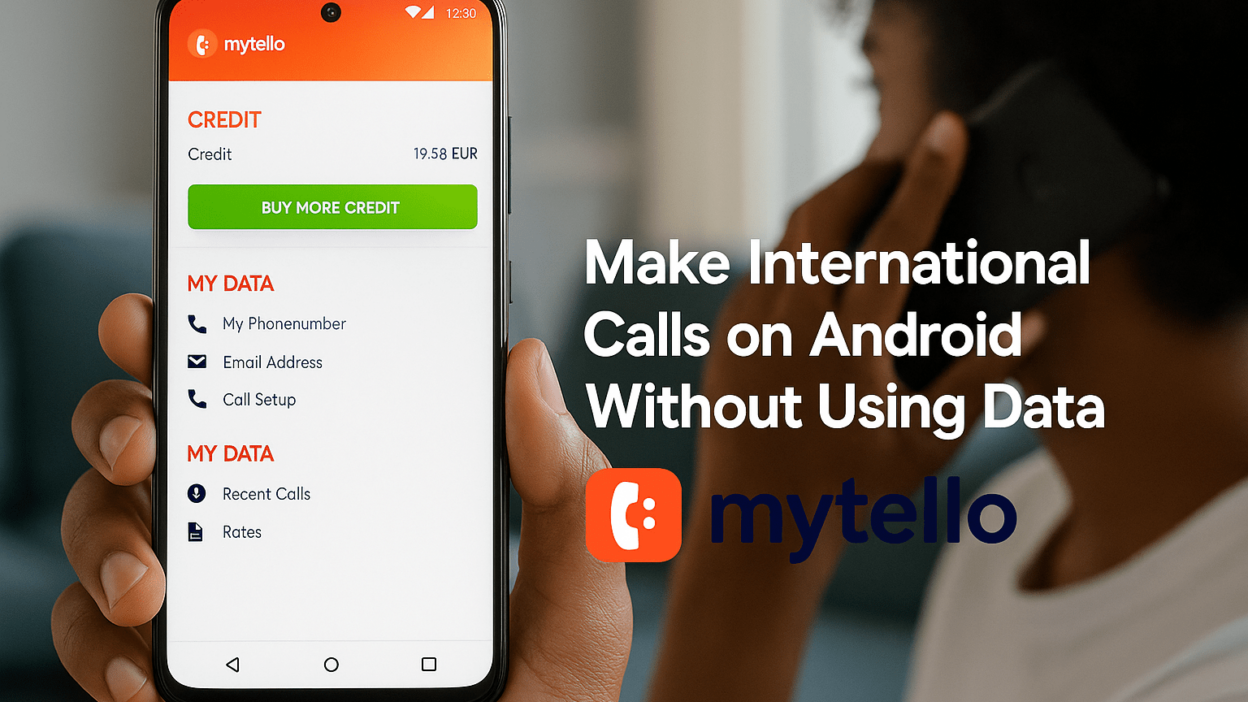
Your call connects as if it’s local but reaches international landlines or mobiles seamlessly. All activity is visible in your Mytello account, where you can manage your credit, track minutes, and see recent calls.
Note: Mytello’s entire system is designed to feel native to Android users—no learning curve, no app switching, and no reliance on internet-based workarounds. This process works identically across 200+ countries and destinations, making it one of the most efficient tools for Android users to call abroad without the Internet.
Comparing Methods: Offline Calls vs Wi-Fi Calling vs VoIP Apps
Offline calling using services like Mytello provides the most reliable, data-free solution for international communication on Android, outperforming both Wi-Fi calling and VoIP apps in independence, compatibility, and coverage.
To help Android users choose the most suitable method, here is a direct comparison of the most common international calling approaches:
| Method | Internet Needed | Reaches Landlines | Uses Android Dialer | Reliability | Best For |
|---|---|---|---|---|---|
| Mytello (Dial-In Access) | ❌ | ✅ | ✅ | High | Travelers, remote users, low-data areas |
| Wi-Fi Calling | ⚠️ (Wi-Fi only) | ✅ | ✅ | Medium | Wi-Fi zones, limited mobile signal |
| VoIP Apps (e.g., WhatsApp) | ✅ | ❌ | ❌ | Variable | Wi-Fi users, app-to-app communication |
| Prepaid Calling Cards | ❌ | ✅ | ✅ | Medium | Emergency use, legacy phone users |
| Dual-SIM Local SIMs | ❌ | ✅ | ✅ | Medium | Frequent travelers with local SIMs |
Note: Among these, only dial-in services like Mytello offer full international reach to landlines and mobiles without requiring internet, SIM changes, or specific hardware—making them ideal for Android users seeking stability, simplicity, and global compatibility.
Use Cases: Who Benefits Most from Data-Free Calling on Android?
Data-free international calling is especially beneficial for Android users who travel frequently, live in low-connectivity areas, or require simple, reliable communication with landlines and mobile numbers abroad.
Mytello’s offline dialing system serves diverse user needs by removing the complexity and restrictions of internet-based solutions. Below are key user groups who benefit the most:
1. International Travelers Avoiding Roaming Charges
Calling through hotel Wi-Fi is unreliable and roaming charges can be excessive. Mytello provides a cost-effective alternative by enabling local-rate international calls using only the regular Android dialer.
-
Save up to 90% on roaming charges
-
No need to activate international roaming
-
Call from any country using a local number
2. Users in Low-Connectivity or Remote Areas
Not all areas have stable internet. Mytello allows calls through local networks without needing any Wi-Fi or mobile data, which is critical in developing regions or during fieldwork.
-
Reliable where internet is unavailable
-
Doesn’t rely on 4G/5G coverage
3. Elderly or Non-Tech-Savvy Users
Not everyone is comfortable with VoIP apps or internet-based accounts. Mytello works using standard voice calling, which aligns with how many older users are used to making calls.
-
No apps required to make a call
-
Works like a regular phone call
-
Landline-compatible
4. Business Users Needing Consistent International Communication
Companies and remote teams can use Mytello to contact partners or clients abroad without depending on data quality, especially when using corporate Android devices with call monitoring.
-
Trackable call records and credit usage
-
Landline and mobile outreach
-
Consistent across different Android phone models
FAQs for Android International Calls Without Using Data
These frequently asked questions address common concerns Android users have when exploring data-free international calling solutions like Mytello.
Can I make international calls on Android in airplane mode with Wi-Fi off?
Yes, with services like Mytello, international calls are made through your mobile voice network using local access numbers. This does not require Wi-Fi, mobile data, or airplane mode to be disabled—as long as your SIM can connect to the network, calls can go through.
Will my carrier charge me if I use Mytello?
No. Mytello bypasses your carrier’s international call rates. You only pay for the local call to the access number (often included in your plan), and Mytello charges the international leg based on its transparent per-minute rates.
Do I need a separate SIM card or plan to use Mytello?
No. Mytello works with your existing SIM card, phone plan, and Android device. There is no need for roaming activation, number porting, or carrier changes.
Can I call international landlines without internet?
Yes. Mytello connects to both landline and mobile numbers worldwide using dial-in infrastructure that does not rely on internet-based protocols.
Does Mytello work on older Android models?
Yes. Mytello is compatible with all Android versions that support voice calling. The app is optional; users can also use the web dashboard to get access numbers and dial directly from their default phone app.
Common Myths About Free International Calling on Android
Many Android users misunderstand how international calling works, especially when it comes to free and data-free solutions. Below are the most common misconceptions clarified with accurate, factual explanations.
“WhatsApp and similar apps work without internet”
Incorrect. Apps like WhatsApp, Viber, or Google Voice require a stable internet connection—either Wi-Fi or mobile data. Without it, these apps cannot function or connect your call.
“Wi-Fi calling is free for international calls”
Not always. While Wi-Fi calling uses your internet connection, your carrier may still apply international call rates based on the destination number, especially if you are traveling. Always verify charges with your provider.
“VoIP apps can reach any number”
No. Most internet-based calling apps are limited to other app users and do not support calling landlines or non-smartphone devices unless you buy credits or use an add-on service.
“You need a special SIM card to make international calls without data”
False. Services like Mytello work with your existing SIM and network provider by routing calls through local access numbers.
“All free calling apps are reliable for important communication”
Inaccurate. Free VoIP apps may offer convenience, but they depend heavily on signal strength and often compress audio, leading to lower quality. They are unsuitable for business, legal, or emergency communication.
Final Summary: Mytello Makes Offline International Calling Easy for Android Users
Mytello enables Android users to make international calls without internet by using local access numbers, offering a stable, simple, and cost-effective alternative to app-based or roaming solutions.
Unlike most international calling apps that rely on Wi-Fi or mobile data, Mytello routes your call through your phone’s voice network, allowing you to dial internationally just as you would call a local number. This approach is compatible with any Android phone, works globally, and reaches both mobiles and landlines—no internet, no app dependency, no complex settings.
Whether you’re traveling abroad, living in a low-connectivity area, avoiding roaming charges, or simply looking for a cleaner way to call internationally, Mytello simplifies the process. The platform supports over 200 countries and offers highly competitive rates without contracts or hidden costs. You can register in seconds, make a test call for free, and start saving up to 90% on your international call costs immediately.
Get Started Now
-
Choose your destination country
-
Check per-minute rates
-
Download the Android app for quick access
-
Or register directly via the Sign up for free
Call globally. No data. No limits. Only Mytello.